Mac · Windows · Free
Your own team
of AI agents.
Ask in text or voice, and your agents split up personal tasks, office work, research and scheduled jobs. Team chat comes with it.
Delegate
Ask once.
The team moves.
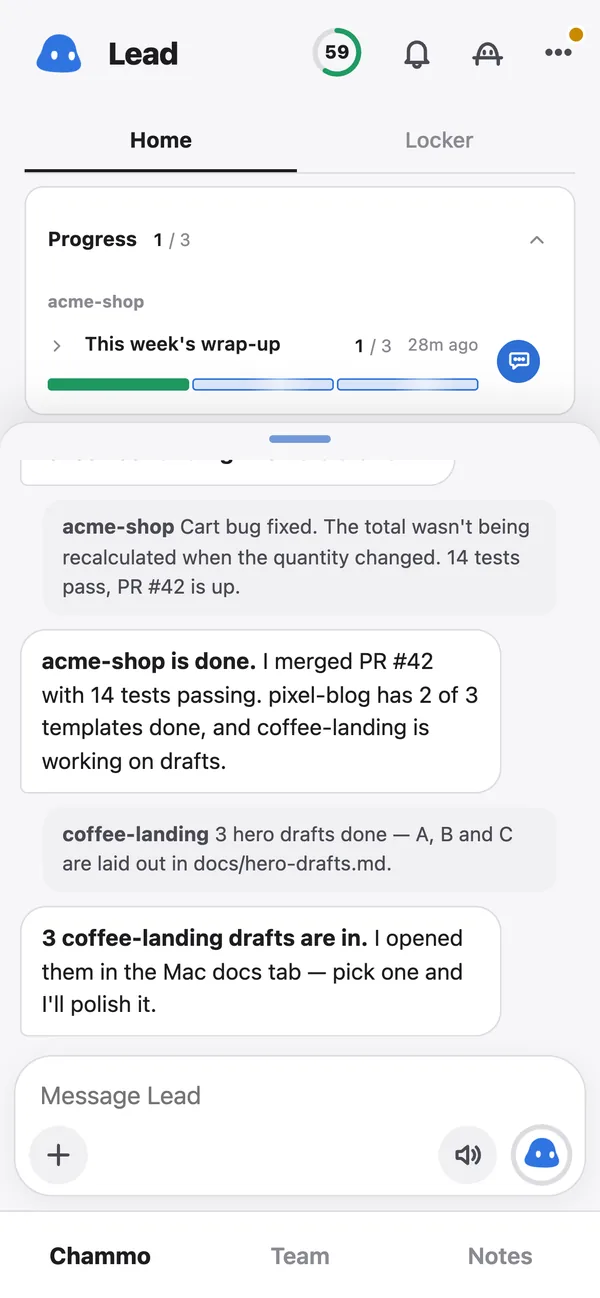
Your chief of staff splits the request by project, starts a session wherever none is running, and reports back in a line or two.
- Several assistants
- Voice input
- Read aloud
Build the café landing page, and check that payment bug too
Splitting it across three projects.
- coffee-landingIdle
- pixel-blogIdle
- acme-shopIdle
Two are done. acme-shop touches payments, so I’m checking with you first.

Decisions
You make
the big calls.
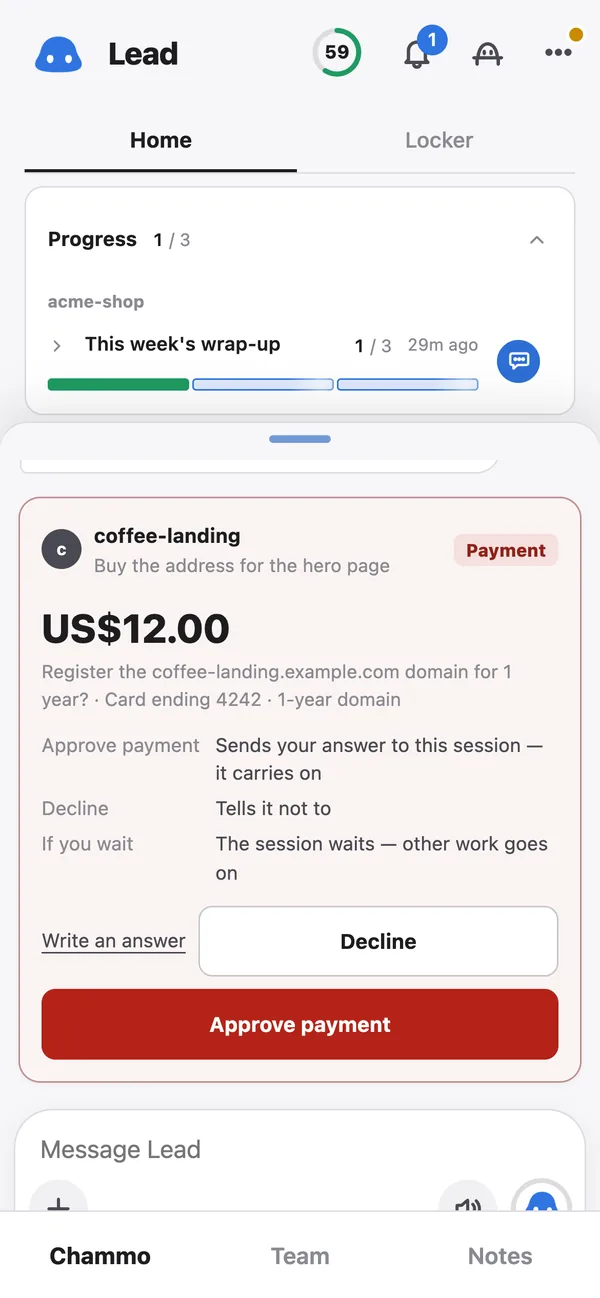
Anything that moves money or touches production stops and asks first. Pull requests with green CI get merged for you.
- Payments & refunds
- Production database
- Production deploys
- Sends to real users
Answer from the card in the chat, the bell, or your phone.
Memory
Picks up where
you left off.
New work starts in a project folder with CLAUDE.md, a starter and a roadmap. Sessions read them first and update them when they finish.
A mistake only happens once. A ‘Lesson:’ line from a session rides along with every next instruction to that project.
- Auto memoryNEW
- Auto compactNEW
Space
Read and edit
right beside the chat.
Docs, sheets, design drafts, PDFs and videos a session shows you open as tabs next to the chat.

- Notion-like docs
- Design curation
- File locker
- Chammo modes
Chammo apps
Chammo drives
12 apps.
Your assistant opens the app and works through its menus. A document only the session edited is saved as a new version next to the original.
 Photo
 Vector
 Grid
 Word
 PDF
 Deck
 Design
 Fig
 Film
 Effect
 Sound
 CAD
Team
Your team,
same app.
Team chats, DMs, a shared locker and a team calendar. Messages and files are end-to-end encrypted on your device before they leave it.
- Team locker
- Team helper
- Team memory
Team messaging is in testing and free for now.

Phone · Tablet
On the go?
Answer by phone.
Pair with a QR code to chat, answer decisions and get notifications on a phone or tablet. No Tailscale needed.
- Notes tab
- Alerts
- File downloads
- TabletsNEW
Schedules
Runs while
you sleep.
Even with the app closed, a real Claude Code session does the work at the set time and reports back. An assistant that went down comes back in the same conversation.
- Every morningPublish the blog postDone
- Every 2 hoursCheck new ordersWorking
- Once, on a dateLaunch-day postWaiting
Office
Every assistant
gets a character.
When an assistant wakes up, it clocks in and takes its seat. Work earns coins, and coins pull new characters and grow the office.

Give it a spin.
Real characters from the office in the app.
- Characters
- Pulls
- Bigger offices
- Decor
As it is
Real Claude Code.
Your own login.
Real sessions
Every session is a real, interactive Claude Code session. Open one mid-task and keep typing.
No sign-up
It uses the Claude Code already signed in on this computer. Keep several accounts, and it moves to the next one when the current one nears its limit.
On your machine
The app runs on your computer. Model calls go through Claude Code and GitHub work through gh, both with your own login.
Free
Installers and updates are on GitHub. Send bug reports and ideas as issues.
View on GitHub
Questions
Is it really free?
Yes. The app is free. Model usage runs on your own Claude plan (Pro, Max and so on), and team messaging is free while it’s in testing.
What does it run on?
An Apple silicon Mac (M1 or later) on macOS 14 or later, or a Windows 10/11 x64 PC. First-run setup fetches what it needs, like Claude Code and the assistant browser. All you do is sign in to Claude.
Windows says “Windows protected your PC.”
The Windows installer isn’t code-signed yet, so SmartScreen may stop it. Click “More info → Run anyway.” The Mac DMG is notarized by Apple and opens right away.
Does everything work on Windows?
Almost. Still to come: the talk key, the Supertonic voice, Office file previews and the Craft CLI.
Will sessions do anything without asking?
Background sessions are started to work without asking. Payments, production changes and pull requests that touch money or security stop and ask. These gates rest on the model’s judgment rather than hard enforcement, so use it on projects and machines where that’s acceptable.
Where do my code and conversations go?
The app runs on your computer. Model calls go through Claude Code and GitHub work through gh, with your own login. Once you sign in to a Chammo account for the phone or team messaging, traffic passes through a relay, and messages and files travel end-to-end encrypted. Anonymous usage statistics are sent once a day. When the app hits an error, only where it happened and the code location (file and line, up to 5) go to the Chammo relay; error text, conversations and paths are not included. Error reports start on December 18, 2026. Turning off the “Anonymous usage statistics” switch in Settings stops both. The details are in the privacy policy.
Take Chammo
home.
Apple-notarized DMG Download Windows Windows 10/11 x64 · installer
First run: “Windows protected your PC” → More info → Run anyway Download
Requires a Claude account (Pro, Max and so on).
Chammo is a desktop app. Open this page on your computer to download it.